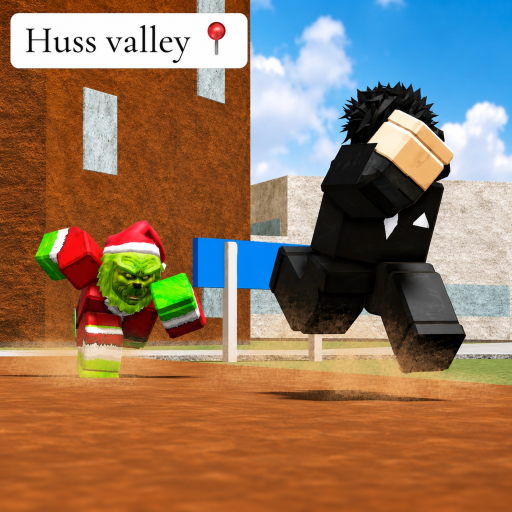
Sponsored link
Escape Huss Valley Wiki
Bindings checked October 3, 2026

Escape Huss Valley Controls

Two bindings are official-description facts, two more come from the game's preserved earlier description, and the rest are deliberately undocumented — here is every key, what it does in a chase, and where each claim comes from.

Quick answer

Sprint is LeftShift, Shift Lock is LeftCTRL

Those two come straight from the official Roblox description, which has listed them unchanged through the Update 5.5 and UPD 9 eras. They are the whole movement kit you need for the mail-route loop: hold LeftShift to sprint between houses, and toggle LeftCTRL for Shift Lock so the camera stays over your shoulder while you thread gates and corners.

Two further actions are documented in the game's earlier, longer public description — preserved on Medal's game page — which labeled Q as Dash and E as Hurdle/Vault for clearing obstacles mid-chase. That wording is no longer in the current description, so this page keeps the “community-labeled” badge on both rather than presenting them as creator-current.

Choose your control platform

Official keyboard bindings: LeftShift for Sprint; LeftCTRL for Shift Lock.

Full reference

Every documented binding, with its source

Official = stated in the current Roblox description (checked October 3, 2026). Community-labeled = from the game's preserved earlier public description. Nothing on this table is guessed.

ActionKeyStatusDetail
SprintLeftShiftOfficialListed directly in the official Roblox description (“Sprint: LeftShift”). This is the movement key every chase is built around.
Shift LockLeftCTRLOfficialListed directly in the official Roblox description (“ShiftLock: LeftCTRL”). Locks the camera over your shoulder so turns stay readable at speed.
DashQCommunity-labeledFrom the game's earlier public description preserved on its Medal game page (captured August 2026, rechecked October 3, 2026). Not repeated in the current description, so treat it as a label to verify in-game.
Hurdle / VaultECommunity-labeledSame source as Dash: the mirrored description used it for getting over obstacles during chases. Verify against your current client's prompts.
Mobile controlsOn-screen promptsNot documentedNo public source documents mobile bindings. Use the touch prompts your client displays rather than a guide's guess.
Controller bindingsOn-screen promptsNot documentedNo public source documents a controller map. Same rule: follow the live prompts.
In practice

Using the keys on a delivery run

Controls only matter in what they let you do — here is how the documented bindings map onto the actual loop.

Between houses: Sprint with intent

Sprint is the difference between finishing a street and starting a chase. Run it on the open legs between stops you have already cleared, and treat every corner as a place to release the key. If a chase does start, sprint toward the next known landmark — the fan wiki recommends anchoring routes to named places like Huss Town Square so panic turns stay readable.

In tight streets: Shift Lock discipline

Shift Lock (LeftCTRL) keeps your view pointed where your character runs, which makes doorways, fences, and the Hurdle/Vault action easier to aim at speed. Many players toggle it on for the dense housing lanes and off again for long straight sprint legs, where a free camera reads more of the map.

Mid-chase: Dash and Hurdle

If your client shows Q for Dash and E for Hurdle/Vault, they are the emergency kit: Dash for breaking line of sight around a corner, Hurdle for the fences and low props the valley streets are full of. Because these labels come from the preserved earlier description, confirm them in your own settings screen before relying on them in a run.

After an update: recheck the description

The developer changes the description with updates — that is where the code strings live too. If a key stops matching after a restart, the official description and your in-game control prompts outrank any guide page, this one included.

FAQ

Control questions

How do you sprint in Escape Huss Valley?

Hold LeftShift on keyboard. This is one of the two bindings the official Roblox description lists, checked October 3, 2026.

What is the Shift Lock key?

LeftCTRL, per the official description. Shift Lock pins the camera behind your character, which most players find easier for reading turns and obstacles at sprint speed.

How do you dash or hurdle?

The game's earlier public description — preserved on Medal's game page — labeled Q as Dash and E as Hurdle/Vault. Those labels are community-mirrored rather than creator-current, so confirm them against the prompts your client shows.

When should I sprint and when should I walk?

The fan wiki's sprint guide gives the principle: “wasted sprint creates bad chases.” Sprint in straight, known-clear stretches; ease off at tight corners where a burst of speed past a roaming figure is what triggers the pursuit.

What are the mobile or controller controls?

No checked public source documents them, so this page does not guess. The in-game prompts are the only current reference for those platforms.

Do movement upgrades change these keys?

No. The Huss Shop's movement upgrades (Huss Speed, per the fan wiki) change how fast you move, not which keys you press. The bindings stay LeftShift and LeftCTRL unless a future update changes the description.

Related pages

Where to go next

Open the next page that matches what you are trying to do in-game.

Continue reading